
How long will laser engraving last?
How long will laser engraving last? Click here for the answer to this question and more info about laser engraving!
When investing in personalized gifts, custom awards, or branded merchandise, one question always comes up: how long does laser engraving actually last?
The short answer: in most cases, it lasts a lifetime.
Unlike vinyl decals that peel, painted lettering that chips, or screen prints that wash away over time, laser engraving physically alters the underlying material. A focused beam of light vaporizes or thermally alters a microscopic layer of the substrate, creating a permanent mark that cannot simply rub off.
However, the true lifespan of an engraving depends on three core variables: the material, the depth of the mark, and daily wear and tear.
Durability by Material
Metals (Stainless Steel, Aluminum, Brass): Metal engravings are virtually permanent. Fiber lasers vaporize surface metal or strip powder coatings (like on custom drinkware), leaving crisp graphics that resist friction, repeated dishwasher cycles, and harsh handling. An engraving on stainless steel will easily outlive the product itself.
Glass and Crystal: Laser etching on glass fractures surface micro-particles, creating an elegant frosted finish. Because it is chemically part of the glass structure, the design will never fade, peel, or wash off—it lasts until the glass breaks.
Hardwoods and Bamboo: Wood white dog engravings cut directly into the grain. On indoor items like cutting boards, wall plaques, or keepsake boxes, the mark lasts for decades. If the piece experiences heavy outdoor weather or continuous UV exposure, sealing it with a quality oil, polyurethane, or lacquer preserves the depth and rich contrast indefinitely.
Leather and Acrylic: High-grade acrylic and vegetable-tanned leathers hold laser burns extremely well. While soft leather can soften and develop a natural patina over years of pocket carry, the engraved impression remains clearly legible.
What Can Cause an Engraving to Fade?
True laser engraving does not fade from time alone. The only factors that degrade an engraving are heavy mechanical abrasion (such as a metal tool grinding directly against the groove), harsh chemical corrosion, or extreme surface weathering on unsealed outdoor wood.
If you are looking for a marking method that survives heavy daily use and remains sharp for generations, laser engraving remains the gold standard in durability, precision, and permanence.
Get a laser engraving quote by clicking here!

7 tips for laser engraving on metal
Metal is notoriously unforgiving under a laser beam. Unlike wood or acrylic, which offer generous room for error, metal dissipates heat rapidly, reflects beams unpredictably, and reacts drastically to slight parameter shifts.
Whether you are personalizing stainless steel drinkware, serializing brass tags, or creating deep relief marks on raw aluminum, here are seven actionable tips to get crisp, professional laser engravings every time.
Metal is notoriously unforgiving under a laser beam. Unlike wood or acrylic, which offer generous room for error, metal dissipates heat rapidly, reflects beams unpredictably, and reacts drastically to slight parameter shifts.
Whether you are personalizing stainless steel drinkware, serializing brass tags, or creating deep relief marks on raw aluminum, here are seven actionable tips to get crisp, professional laser engravings every time.
1. Match the Laser Source to Your Metal Type
Not all lasers interact with metal the same way:
Fiber Lasers (1064 nm): The gold standard for direct bare metal engraving. Their wavelength is readily absorbed by steel, brass, titanium, and aluminum without needing chemical coatings.
MOPA Fiber Lasers: If you want colored marks on titanium or dark, non-oxidized annealing marks on stainless steel, adjustable pulse widths in MOPA systems give you precise thermal control.
Diode & $CO_2$ Lasers: Standard $CO_2$ (10,600 nm) and blue diode lasers (450 nm) reflect right off bare reflective metal or lack the power to etch directly. For these machines, stick to powder-coated tumblers, anodized aluminum (where the laser bleaches the dye layer), or use specialized marking compounds.
2. Degrease and Clean Before Every Run
Machine oils, fingerprints, oxidation, and residual shop dust act as an unintended barrier. When the laser hits an oily smudge, it carbonizes the oil instead of vaporizing the metal, leading to muddy lines and patchy contrast.
Wipe your metal workpiece thoroughly with 90%+ isopropyl alcohol (IPA) or acetone using a lint-free microfiber cloth.
For heavily tarnished brass or copper, run a light brass cleaner first, dry it completely, and finish with an alcohol wipe to remove film residue.
3. Dial in True Focal Distance
Because metal lacks the absorption depth of organic materials, even a fraction of a millimeter off-focus will dramatically dilute power density.
Use your machine’s dual-red-dot focus guides, a stepped focus gauge, or a digital height sensor to calibrate the exact focal plane.
When engraving cylindrical or curved items (like flasks or insulated mugs), always use a dedicated rotary chuck or roller attachment. If the curve falls outside the laser’s depth of field, the edges will quickly blur and lose depth.
4. Optimize Line Interval and Hatch Angles
When filling shapes or letters on metal, the fill pattern—known as hatching—determines surface smoothness:
Hatch Spacing: Setting the line interval too wide leaves visible striations; setting it too tight creates excessive heat buildup. A spacing of 0.02 mm to 0.05 mm is standard for smooth coverage.
Cross-Hatching: For deep engraving, use cross-hatching (e.g., alternating passes at 45° and 135°). Shifting the angle on each pass prevents the laser from carving directional ridges and produces a uniform, flat bottom.
5. Prevent Warping with Smart Heat Management
Metal acts as a heat sink. High-power, slow passes trap thermal energy in the part, causing thin sheets to warp, burr, or discolor around the edges.
Instead of running one slow, scorching pass at 100% power, use multiple passes at higher speeds and moderate power to gradually ablate material while allowing the workpiece to dissipate heat between layers.
For dense geometric fills, break the design into separate layers or use bi-directional marking strategies that spread the thermal load across the object.
6. Safeguard Against Back-Reflection
Highly reflective metals like polished brass, copper, silver, and gold can bounce a 1064 nm beam straight back into the galvanometers or laser aperture, risking permanent optics damage.
Slightly tilt the workpiece by 1° to 2° off direct perpendicular alignment if you suspect dangerous specular reflection.
Ensure your laser source is equipped with an integrated optical isolator to safely absorb back-reflected photons.
7. Run a Parameter Matrix on Identical Scrap First
Factory setting presets are starting points, not final answers. Material grade matters: 304 stainless reacts differently than 316, and 6061 billet aluminum engraves differently than cast aluminum.
Keep cut-offs or blank swatches of your exact project alloy.
Burn a test matrix grid varying speed on one axis and power or frequency on the other. This visual map helps you instantly spot the exact threshold where clean ablation occurs without scorching.
Contact Us
Let White Dog Engraving save you the time, money and hasssle of lase engraving! Contact us today by clicking here to get a quote.
What are the benefits of laser engraving?
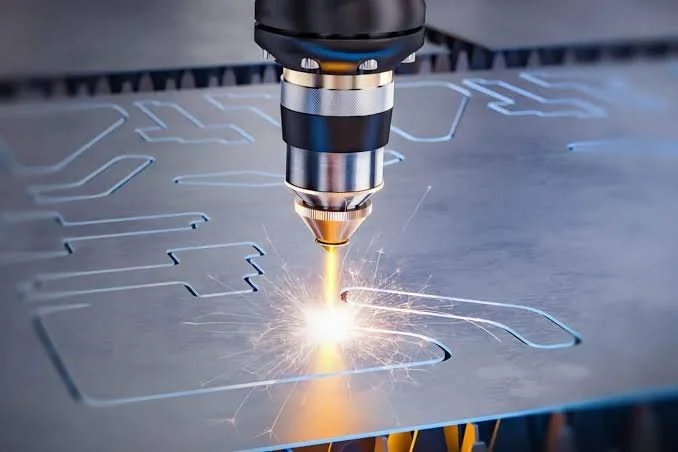
Whether you are personalizing custom gifts or scaling an industrial manufacturing line, laser engraving has quickly replaced traditional mechanical marking—and for good reason. By focusing a high-powered beam of light to alter or vaporize the surface of a material, modern lasers deliver a combination of speed, durability, and craftsmanship that mechanical tools cannot match.
Whether you are personalizing custom gifts or scaling an industrial manufacturing line, laser engraving has quickly replaced traditional mechanical marking—and for good reason. By focusing a high-powered beam of light to alter or vaporize the surface of a material, modern lasers deliver a combination of speed, durability, and craftsmanship that mechanical tools cannot match.
Here are the primary advantages of laser engraving:
Microscopic Precision and Detail: Laser beams can focus down to fractions of a millimeter, allowing for intricate vector graphics, tiny serial numbers, QR codes, and photo-realistic portraits. What appears on your design software is etched with absolute fidelity onto the workpiece.
Permanent, Wear-Resistant Marks: Unlike inks, vinyl decals, or chemical prints that chip, fade, and peel under friction or UV exposure, laser engraving physically modifies the material. The resulting mark withstands moisture, heavy handling, and abrasive environments for the lifetime of the product.
Unmatched Material Versatility: A single laser setup can handle an expansive variety of substrates. From hardwood, leather, acrylic, and glass to anodized aluminum, stainless steel, and slate, switching materials often requires nothing more than adjusting software power and speed settings.
Non-Contact Processing: Because no physical cutter or bit touches the object, there is zero mechanical stress placed on fragile pieces. It eliminates tool wear, cutting bit replacements, and the need for complex clamping mechanisms that can warp delicate workpieces.
Rapid Workflow and Low Overhead: Transitioning from digital file to finished product takes minutes. Without custom tooling dies, screens, or physical stencils, laser engraving makes single-item prototypes and custom one-offs just as cost-effective as batch manufacturing.
Laser engraving blends high-tech efficiency with artisan finish, making it one of the most versatile and cost-effective marking technologies available today.
Get an engraving quote by calling us at (972)848-7790 or click here to connect with us online.

How To Improve Laser Engraving Accuracy
Achieving crisp, micron-level accuracy in laser engraving requires precise control over mechanical alignment, optical focus, and software parameters. Fine-tuning these four critical areas eliminates vibration, heat distortion, and alignment drift.
Achieving crisp, micron-level accuracy in laser engraving requires precise control over mechanical alignment, optical focus, and software parameters. Fine-tuning these four critical areas eliminates vibration, heat distortion, and alignment drift.
1. Perfect the Focal Distance Engraving resolution relies heavily on beam spot size. A laser that is even a millimeter out of focus creates a wider beam spot, softening sharp edges and blurring fine details.
Run a ramp test: Find the exact height where the beam produces the thinnest possible line.
Maintain optics: Clean mirrors and lenses regularly using isopropyl alcohol to prevent beam scattering and power loss.
2. Optimize Speed and Power Ratios Excessive power or overly slow speeds cause thermal bleed, melting material beyond the target path and destroying sharp line work.
Use test matrices: Run a grid test on your material to find the lowest power required to achieve your desired contrast without over-burning.
Calibrate DPI/Interval: Match your software's line interval to the physical spot size of your laser. Setting DPI too high causes line overlap and heat buildup, while setting it too low leaves visible gaps.
3. Eliminate Mechanical Play Physical White Dog vibration in the frame or gantry directly translates into jagged lines, wavy edges, and distorted geometry.
Check belt tension: Ensure timing belts are taut—looseness causes backlash, while over-tightening binds the stepper motors.
Adjust eccentric nuts: Tighten gantry wheel bearings to remove wobble along the X and Y axes.
Secure the bed: Ensure the machine rests on a rigid, level surface to absorb rapid directional changes.
4. Secure Materials and Airflow Material shift ruins multi-pass registration, while trapped smoke can distort the laser path.
Use honeycomb pins or vacuum beds to hold thin materials perfectly flat.
Run high-pressure air assist to blow away debris and minimize flame flare-ups.
Contact Us
Learn more about the engraving services that we can offer you by calling us at (972) 848-7790or click here to connect with us online.

The Best File Formats for Laser Engraving Your Logo
Whether you’re branding custom wooden coasters, promotional metal pens, or acrylic signage, sending the wrong logo format to your laser engraver can lead to blurry edges and pixelated messes. To get crisp, clean results, format is everything.
Whether you’re branding custom wooden coasters, promotional metal pens, or acrylic signage, sending the wrong logo format to your laser engraver can lead to blurry edges and pixelated messes. To get crisp, clean results, format is everything.
Here is the quick breakdown of what you need—and why it matters.
1. Vector Files (The Gold Standard)
For laser engraving, vector files are king. Unlike standard pictures, vector graphics don't rely on pixels. Instead, they use mathematical points, lines, and curves. This lets the laser software read exact paths to follow or engrave with pin-point precision.
The top vector formats to send include:
SVG (.svg): The most universal vector format. Compatible with almost all laser software like LightBurn and Adobe Illustrator.
AI (.ai): Adobe Illustrator’s native format. Widely accepted by commercial print and engraving shops.
DXF / DWG (.dxf, .dwg): Standard CAD formats. Ideal if your engraving project involves complex cutting along with surface engraving.
PDF (.pdf): Great for sharing, but only if created as a vector export from design software—not just a JPEG saved inside a PDF.
2. Raster Files (Use with Caution)
Raster files are made of pixels (like photographs). While White Dog laser software can engrave them using a line-by-line scanning method, scaling them up loses quality instantly.
PNG (.png) / JPG (.jpg): Only use these if vector files aren't an option. Ensure your image is high-resolution (at least 300 DPI) and features clean, high-contrast black-and-white graphics.
Pro Tip: Before sending your artwork, convert all live text fonts in your design file to "Outlines" or "Paths." This prevents missing font errors when your engraver opens the project file.
to learn more about the engraving services that we can offer you contact us toda by clicking here or calling (972)848-7790.

3 Material Combos That Will Elevate Your Laser Projects
If you are still engraving standard birch plywood and clear acrylic, you are missing out on some of the highest-margin trends in the maker space. Flipping a cheap blank into a premium product isn't just about tweaking your speed and power settings—it is about picking materials that look and feel expensive right out of the machine.
If you are still engraving standard birch plywood and clear acrylic, you are missing out on some of the highest-margin trends in the maker space. Flipping a cheap blank into a premium product isn't just about tweaking your speed and power settings—it is about picking materials that look and feel expensive right out of the machine.
When you mix textures, you instantly elevate the perceived value of your work. Here are three high-profit material combinations to try on your laser bed today:
1. Slate and Walnut Wood
Slate engraves to a crisp, frosty white, while dark walnut yields a rich, deep brown burn. Combining these two elements is perfect for high-end home decor. Try cutting a geometric walnut base to hold a set of custom-etched slate coasters, or build a mixed-media charcuterie board. The contrast between raw, cool stone and warm, polished wood screams luxury.
2. Vegetable-Tanned Leather and Matte Acrylic
Leather patches on structured hats or wallets are massive sellers. To take it up a notch, stitch or rivet laser-engraved vegetable-tanned leather White Dog accents onto deep slate or soft beige acrylic blanks. Think minimalist keychains or modern office desk organizers.
3. Cast Acrylic and LED Light Bases
While extruded acrylic is fine for simple cuts, cast acrylic is the golden standard for engraving because it frosts to a brilliant, clean white. Engraving intricate vector artwork onto a cast acrylic sheet and slotting it into a wooden LED base creates a glowing nightlight or storefront sign that commands top dollar.
The Takeaway: Stop competing on price for basic items. Start experimenting with multi-material designs, dial in your software, and watch your shop stand out. Contact us today for a quote by clicking here!
What is your absolute favorite material to burn? Drop a comment below!

The Art of Precision: Why Professional Engraving Beats the DIY Approach
In an era of DIY tutorials and affordable hobbyist tools, it is tempting to tackle every project yourself. However, when it comes to engraving—whether for corporate awards, sentimental jewelry, or industrial signage
In an era of DIY tutorials and affordable hobbyist tools, it is tempting to tackle every project yourself. However, when it comes to engraving—whether for corporate awards, sentimental jewelry, or industrial signage—the difference between a "home job" and professional craftsmanship is night and day. While a DIY kit might seem cost-effective, hiring a professional engraving company offers advantages that a handheld rotary tool simply cannot match.
1. Unmatched Precision and Technology Professional engravers utilize industrial-grade laser and CNC technology. These machines offer micron-level White Dog accuracy, ensuring that intricate logos and fine scripts are rendered perfectly. DIY methods often suffer from shaky hands or inconsistent depth, which can ruin a valuable item in a matter of seconds.
2. Material Expertise Every material—from tempered glass and stainless steel to delicate wood and leather—reacts differently to heat and pressure. Professionals understand these nuances. They know the exact settings required to prevent warping, charring, or cracking, protecting your investment from costly beginner mistakes.
3. Time and Scalability If you need fifty personalized items for a wedding or corporate event, doing it yourself is a recipe for burnout. Professional companies are built for volume and consistency. They can produce identical, high-quality results across hundreds of units in a fraction of the time it would take an amateur.
Ultimately, professional engraving is about peace of mind. When the details matter, trust the experts to turn a simple object into a lasting masterpiece.
Learn more about the engraving services that we can offer you by calling us at (972) 848-7790 or click here to connect with us online.

The Art of the Personal Touch: Top Laser Engraved Gifts for 2026
As we move through 2026, the trend of gift-giving has shifted away from mass-produced items toward deeply personal, "forever" pieces. Laser engraving technology has reached new heights of precision, allowing for intricate designs on materials we once thought impossible to etch. If you’re looking to make an impression this year, here are the top laser-engraved gift ideas for 2026.
As we move through 2026, the trend of gift-giving has shifted away from mass-produced items toward deeply personal, "forever" pieces. Laser engraving technology has reached new heights of precision, allowing for intricate designs on materials we once thought impossible to etch. If you’re looking to make an impression this year, here are the top laser-engraved gift ideas for 2026.
1. Kinetic Wood Topography Maps: 3D-layered wood maps have evolved. In 2026, the trend is laser-etching detailed topographical maps of a loved one's favorite hiking trail or hometown. The precision of modern lasers allows for street-level detail, creating a tactile piece of art that tells a personal story.
2. Smart Tech Leather Accessories From MagSafe wallets to vegan leather laptop sleeves, laser engraving adds a touch of "old-world" luxury to "new-world" tech. Custom monograms or abstract geometric patterns etched directly into the leather are the top choice for the professional who has everything.
3. Etched Sustainable Glassware Personalized barware remains a staple, but the 2026 twist involves "frosted" laser designs on recycled sea-glass colors. Whether it’s a coordinates-based design or a handwritten note from a grandparent etched into a whiskey decanter, these pieces are as sustainable as they are sentimental.
The "Micro-Minimalism" Trend In 2026, the most popular White Dog engraving style is "Micro-Minimalism"—small, hidden engravings on the inside of rings or the underside of watch bands that only the wearer knows are there.
The beauty of laser engraving lies in its permanence. Unlike prints that fade, an engraving is a physical part of the object. This year, choose a gift that won’t just be used, but will be kept for a lifetime.
Learn more about the engraving services that we can offer you by calling (972)848-7790 or click here to connect with us online!

The Best Laser Engraver in Dallas, Texas: Precision Meets Local Craft
When you are looking for the best laser engraver in Dallas, Texas, you aren’t just looking for a machine—you’re looking for a partner who understands the balance between high-tech precision and southern hospitality.
When you are looking for the best laser engraver in Dallas, Texas, you aren’t just looking for a machine—you’re looking for a partner who understands the balance between high-tech precision and southern hospitality. Whether it’s a one-of-a-kind anniversary gift, high-volume corporate awards, or industrial part marking, Dallas is home to some of the finest craftsmanship in the Lone Star State.
Why Quality Laser Engraving Matters
Laser engraving is the gold standard for permanent, high-detail customization. Unlike traditional etching or printing, a high-end laser system can work with incredible detail on a variety of surfaces, including:
Wood & Leather: Perfect for custom cutting boards or personalized wallets.
Metal & Industrial Parts: Essential for serial numbers and barcodes.
Glass & Acrylic: Ideal for elegant awards and wedding favors.
In a fast-paced market like DFW, businesses and individuals need quick turnaround times without sacrificing the "wow" factor.
What to Look for in a Dallas Engraver
The best shops in North Texas differentiate themselves through versatility and technology. You want a provider that uses industry-leading fiber and CO2 lasers to ensure the cleanest lines possible. Furthermore, local expertise matters; a shop that understands the Dallas business landscape can provide better design consultation to make your brand or gift truly stand out.
Elevate Your Next Project with White Dog Engraving
If you are ready to turn a simple item into a masterpiece, look no further than White Dog Engraving. With a commitment to 100% customer satisfaction and a rapid turnaround, they are the premier choice for laser engraving in the Dallas and Mabank areas.
From custom graphic design services to a massive catalog of personalizable items, White Dog Engraving combines over 20 years of experience with cutting-edge technology.
Don’t settle for "good enough" when you can have the best. Contact White Dog Engraving today at (972) 848-7790 to start your custom project!

Laser Engraved Cutting Board Ideas That Sell and Stand Out
Custom laser-engraved cutting boards are more than just kitchen tools; they are functional pieces of art that capture memories and celebrate milestones. Whether you are looking for the perfect housewarming gift or a high-quality corporate giveaway, certain designs consistently outperform the rest in terms of popularity and "wow" factor.
Custom laser-engraved cutting boards are more than just kitchen tools; they are functional pieces of art that capture memories and celebrate milestones. Whether you are looking for the perfect housewarming gift or a high-quality corporate giveaway, certain designs consistently outperform the rest in terms of popularity and "wow" factor.
Handwritten Family Recipes
One of the most sentimental trends in Dallas, Texas engraving is the reproduction of handwritten recipes. By scanning a grandmother’s famous biscuit recipe or a father’s secret BBQ rub instructions, laser engraving can etch that exact handwriting onto a durable bamboo or walnut board. This transforms a simple utility item into a cherished family heirloom.
Local Pride and Texas Flair
In the Lone Star State, everything is bigger—including the pride for local culture. Cutting boards featuring intricate maps of Dallas neighborhoods, the iconic Texas star, or stylized "Deep Ellum" typography are massive hits. These White Dog designs resonate with locals and visitors alike, making them a staple for boutique gift shops.
Minimalist Monograms
For those who prefer a modern aesthetic, clean and minimalist monograms remain a top seller. Placing a bold, single initial or a "The [Last Name] Family" design in the bottom corner of a live-edge board creates a sophisticated look that fits any high-end kitchen.
Closing the Deal with Custom Gifts
If you are a realtor or business owner, a custom-engraved board is the ultimate closing gift. It stays in the client’s kitchen for years, keeping your brand top of mind every time they prep a meal.
Ready to Create Your Custom Masterpiece?
If you’re looking for premium Dallas, Texas engraving, look no further. At White Dog Engraving, we specialize in high-quality, precision laser work that brings your vision to life. From one-of-a-kind family gifts to bulk corporate orders, we ensure every board stands out from the crowd.
Contact White Dog Engraving in Dallas today to start your next project!Click here to get started or call us at (972)848-7790

How To Choose a Laser Cutter, Engraver, or Marker
Laser technology is vital for businesses and hobbyists. Selecting the right laser cutter, engraver, or marker ensures quality results. Consider these key factors when deciding.
Laser technology is vital for businesses and hobbyists. Selecting the right laser cutter, engraver, or marker ensures quality results. Consider these key factors when deciding.
1. Define Your Purpose
Start by identifying what you want to accomplish. A laser cutter is ideal for cutting through materials such as wood, acrylic, and fabric. A laser engraver creates detailed surface designs, while a laser marker is ideal for permanent, high-contrast markings on metals and plastics. Understanding your primary application will significantly narrow your options.
2. Consider Material Compatibility
Different lasers are more effective on specific materials. For example, CO₂ lasers excel with wood, glass, and acrylic, while fiber lasers are better suited for metals. If you need versatility, look for a system that supports multiple material types.
3. Evaluate Power and Speed
The wattage of a laser directly impacts cutting depth and speed. Higher-wattage machines handle thicker materials more efficiently, while lower-wattage models are better for fine engraving work. Balance power with precision depending on your needs.
4. Software and Ease of Use
User-friendly software is critical, especially if you’re new to laser technology. Look for systems with intuitive controls, design compatibility, and strong support communities.
5. Budget and Support
Prices vary widely depending on features and size. Beyond the initial cost, consider factors such as maintenance, replacement parts, and the availability of customer support. A reputable supplier with strong after-sales service can save you time and money long term.
By carefully assessing your goals, materials, and budget, you’ll be well-prepared to select the right laser system—ensuring efficiency, precision, and growth in your projects or business.
Learn more about the engraving services thatwe can offer you by calling us at (972)848-7790 or click here to connect with us online.

Tips for Laser Cutting Plastic: A Guide for Best Results
Laser cutting is one of the most precise and efficient methods for shaping plastics, whether for signage, product prototypes, or custom designs. However, working with plastic requires careful preparation to ensure clean, safe, and professional results. If you’re considering a project that involves engraving or fabrication in Dallas, Texas, here are some key tips for laser cutting plastic.
Laser cutting is one of the most precise and efficient methods for shaping plastics, whether for signage, product prototypes, or custom designs. However, working with plastic requires careful preparation to ensure clean, safe, and professional results. If you’re considering a project that involves engraving or fabrication in Dallas, Texas, here are some key tips for laser cutting plastic.
1. Choose the Right Plastic Type
Not all plastics are created equal. Acrylic is the most common material for laser cutting because it produces smooth, polished edges and handles engraving well. Polycarbonate, on the other hand, should be avoided as it discolors and emits harmful fumes. Always confirm the material’s compatibility with laser equipment before cutting.
2. Adjust Laser Settings Properly
Power, speed, and frequency are critical White Dog settings that determine the quality of your cut. Too much power can melt edges, while too little may leave incomplete cuts. It’s best to run test samples to fine-tune settings for your specific type of plastic.
3. Minimize Heat Build-Up
Plastics are sensitive to heat, which can cause warping or burning. Using air assist during cutting helps blow away heat and debris, keeping edges clean and preventing damage.
4. Keep Safety in Mind
Laser cutting produces fumes when working with plastics. Proper ventilation or a fume extraction system is essential for a safe workspace.
5. Work with Professionals
For intricate designs or large projects, partnering with an experienced shop that offers laser cutting and engraving services in Dallas, Texas, ensures your work is accurate, polished, and handled safely.
By following these tips, you’ll achieve sharp, clean cuts while protecting both your project and your equipment. Laser cutting plastic can be an excellent choice when done with the right materials and settings.
Get a laser engraving quote by calling us at (972)848-7790 or click here to connect with us online.

5W vs 10W ComMarker Omni 1 UV Laser: Which One Is Right for You?
When it comes to laser engraving, precision and efficiency matter. The ComMarker Omni 1 UV Laser series is renowned for its ability to engrave a wide range of materials, including plastics, glass, metals, and even delicate substrates. But if you’re considering investing in this technology, one key decision is whether the 5W or 10W version is the better choice.
When it comes to laser engraving, precision and efficiency matter. The ComMarker Omni 1 UV Laser series is renowned for its ability to engrave a wide range of materials, including plastics, glass, metals, and even delicate substrates. But if you’re considering investing in this technology, one key decision is whether the 5W or 10W version is the better choice.
The 5W ComMarker Omni 1 UV Laser
The 5W model is an excellent entry-level option for businesses and hobbyists who require detailed, high-contrast marking without excessive power consumption. Its lower wattage means less heat, making it ideal for materials that are sensitive to burning, such as plastics or coated surfaces. If your projects involve intricate logos, barcodes, or fine text, the 5W unit provides clean and crisp results with minimal risk of surface damage.
The 10W ComMarker Omni 1 UV Laser
The 10W version delivers more power, resulting in faster engraving speeds and deeper marks. It’s a better fit for high-volume production environments where time is of the essence. The extra wattage also allows for engraving tougher materials, such as certain metals or thicker plastics, with greater efficiency. However, with the increased power comes a higher price point, which may not be practical for smaller-scale operations.
Which One Is Right for You?
The choice between the 5W and 10W ComMarker Omni 1 UV Laser depends largely on your application and budget. If you require precise measurements, the 5W is sufficient. If you’re focused on speed, durability, and handling larger production runs, the 10W is the smarter investment.
But here’s the reality—purchasing and maintaining either machine requires a significant upfront cost and ongoing technical know-how. For many businesses, especially small to mid-sized companies, outsourcing laser engraving to a local engraving company like White Dog Engraving is the more cost-effective option.
Save Time and Money with Local Expertise
Instead of spending thousands on equipment and training, you can achieve the same high-quality results by working with professionals who already have the latest UV laser technology. We can handle your custom jobs quickly, eliminate the learning curve, and save you the headache of equipment maintenance.
If you want precision, speed, and cost savings without the investment, contact us today! You’ll start benefiting from 5W or 10W laser engraving without the expense, saving both time and money while gaining expert results.
Get an engraving quote today by calling us at (972) 848-7790 or click here to connect with us online.

Why Businesses Should Use Laser Engraving to Customize Thermos Bottles
3D laser engraving is an advanced engraving technique that creates depth, dimension, and texture in a variety of materials, resulting in visually striking, tactile designs. Unlike traditional 2D laser engraving, which etches flat designs onto a surface, 3D laser engraving manipulates the surface at multiple depths to produce a layered or sculpted effect.
In today’s competitive market, businesses are continually seeking innovative ways to differentiate themselves, enhance brand recognition, and foster lasting customer loyalty. One increasingly popular strategy is to customize practical products—like thermos bottles—with a company logo or message. Among customization methods, laser engraving has emerged as the top choice due to its superior quality and long-term impact.
Professional, High-Quality Appearance
Laser engraving creates a sharp, precise design that instantly communicates professionalism. Unlike printed or painted logos that can fade, scratch, or peel over time, laser-engraved markings are etched directly into the surface of the thermos. This results in a sleek, permanent finish that retains its clarity and detail even after years of use.
Durability That Matches the Product
Thermos bottles are built for durability—often made from stainless steel or other long-lasting materials. Laser engraving complements that strength, ensuring the customization lasts as long as the bottle itself. Because the engraving is embedded into the material, it won’t wear off from washing, heat exposure, or outdoor conditions. This longevity ensures your branding remains visible through countless uses, making it a cost-effective marketing investment.
Eco-Friendly and Chemical-Free Process
Laser engraving is a clean, eco-friendly customization method. It doesn’t rely on inks, solvents, or chemical treatments, which means there’s no risk of harmful substances leaching into drinks. This is especially important for businesses promoting sustainability or targeting environmentally conscious consumers. By pairing reusable thermos bottles with a chemical-free marking method, companies reinforce their commitment to green initiatives.
Versatile Design Possibilities
From logos and taglines to intricate patterns and personalized names, laser engraving offers incredible design flexibility. The precision of modern laser machines enables the replication of small text, fine lines, and detailed graphics with flawless accuracy. Businesses can even offer personalized bottles for clients, employees, or promotional giveaways, adding a unique touch that strengthens relationships.
Boosting Brand Visibility and Loyalty
A customized thermos bottle is more than just drinkware—it’s a mobile billboard. Whether on a commute, at the gym, or on a camping trip, these bottles showcase your brand to potential customers in a natural, non-intrusive way. Recipients often use them daily, associating your brand with convenience, quality, and reliability.
Contact Us
For businesses seeking a practical, durable, and eco-friendly way to promote their brand, laser-engraved thermos bottles are an excellent choice. They combine long-lasting quality with daily usability, ensuring your message travels wherever your customers go—one sip at a time.
Learn more about our engraving services by contacting us at (972)848-7790 or click here to connect with us online.

What is 3D Laser Engraving and How Does It Work?
3D laser engraving is an advanced engraving technique that creates depth, dimension, and texture in a variety of materials, resulting in visually striking, tactile designs. Unlike traditional 2D laser engraving, which etches flat designs onto a surface, 3D laser engraving manipulates the surface at multiple depths to produce a layered or sculpted effect.
3D laser engraving is an advanced engraving technique that creates depth, dimension, and texture in a variety of materials, resulting in visually striking, tactile designs. Unlike traditional 2D laser engraving, which etches flat designs onto a surface, 3D laser engraving manipulates the surface at multiple depths to produce a layered or sculpted effect.
At its core, 3D laser engraving utilizes a high-powered laser to burn, melt, or vaporize material according to a digital 3D design. The process starts with specialized 3D modeling software, where the desired design is created or imported. This file includes depth data, which instructs the laser on how deeply to engrave at various points on the material. The file is then sent to a laser engraving machine equipped with a dynamic focusing system. This system automatically adjusts the laser’s focus in real time, allowing it to accurately carve varying depths into the substrate.
Understanding Laser Engraving
The laser beam itself is controlled by precise galvanometer mirrors or CNC (Computer Numerical Control) systems, which guide the beam along the X, Y, and Z axes. These controls enable the machine to adjust the laser’s intensity and duration on the material’s surface, producing gradients and intricate curves that are characteristic of true 3D engraving.
Materials commonly used in 3D laser White Dog engraving include wood, acrylic, glass, crystal, metal, and even stone. The applications are widespread, ranging from personalized gifts and trophies to industrial mold-making, architectural models, and artistic sculptures.
One of the standout benefits of 3D laser engraving is the ability to produce incredibly detailed and durable designs without physical contact. This makes it ideal for fragile materials or complex patterns that would be difficult to achieve through manual carving.
Contact Us
In summary, 3D laser engraving is a cutting-edge technique that combines precision technology with digital artistry to transform flat surfaces into dimensional works of art. Whether for commercial, industrial, or creative use, it opens up a world of possibilities in custom design and production.
To learn more about deep laser engraving, or to get an engraving quote for your project, contact us today by calling (972)848-7790 or click here to connect with us online.

Understanding Deep Laser Engraving: What It Is and How It Works
Deep laser engraving is a high-precision process that utilizes a powerful laser beam to etch deep, permanent marks into the surface of a material. Unlike surface engraving, which only removes a small layer, deep laser engraving penetrates several millimeters into the material. This method is ideal for creating long-lasting, high-contrast markings on metal, stone, and other hard materials.
Deep laser engraving is a high-precision process that utilizes a powerful laser beam to etch deep, permanent marks into the surface of a material. Unlike surface engraving, which only removes a small layer, deep laser engraving penetrates several millimeters into the material. This method is ideal for creating long-lasting, high-contrast markings on metal, stone, and other hard materials.
In Dallas, Texas, laser engraving has become a popular solution for industries that require durable identification, such as aerospace, automotive, and industrial manufacturing. Whether it's serial numbers, logos, or custom artwork, deep laser engraving ensures the design remains legible even under harsh conditions, such as extreme heat, friction, or chemical exposure.
How Deep Laser Engraving Works
In this process, a computer controls a laser that shines on the material. The laser’s strength, speed, and the number of times it passes over determine how deeply it engraves. The laser heats and removes material in layers, gradually creating a deeper mark.
Most deep laser engraving uses a fiber laser, which can focus a significant amount of power into a small spot. The laser never touches the material, resulting in clean and even lines, and there is no need to clamp the material.
Benefits of Deep Laser Engraving
One of the main advantages is its permanence. Deep White Dog engravings do not wear off over time, making them ideal for components that undergo frequent handling or exposure to the elements. The precision of laser technology also allows for intricate and complex designs, adding both functionality and aesthetic appeal.
To ensure your marks stand the test of time, reach out to Dallas, Texas laser engraving professionals today and discover how advanced deep engraving services can meet your industrial or personal needs. Contact us now to get started with a durable, high-quality marking solution.
Learn more about our DFW engraving services by calling us at (972) 848=7790 or click here to connect with us online.

Understanding the Difference Between Laser Cutters and Laser Engravers
Laser technology has become an essential tool in many industries, from manufacturing to design. Two of the most commonly used laser machines are laser cutters and laser engravers. While these devices may appear similar and often share components, they serve distinct purposes and operate differently based on the desired outcome.
Laser technology is essential across various industries, including manufacturing and design. Two key machines—laser cutters and laser engravers—look similar but serve different purposes.
Laser Cutters: Precision Slicing
A laser cutter slices materials with precision using a high-powered laser beam focused on a small point. It heats and vaporizes the material for clean cuts. Laser cutters work on a variety of materials, including wood, acrylic, plastic, fabric, paper, and some metals, depending on the power setting.
Laser cutting is used in signage, architecture, automotive, and custom fabrication. The primary goal is to cut through material to create shapes or ready-to-assemble parts. Laser cutters use higher power for full penetration.
Laser Engravers: Surface-Level Design
A laser engraver marks, etches, or engraves designs onto the surface of a material. Instead of cutting through, the laser removes a thin surface layer to create text, logos, or artwork.
Laser engraving customizes items like trophies, jewelry, glassware, and more. Engravers prioritize detail, resolution, and contrast over depth of field. Lower power prevents damage to the item's integrity.
Combination Machines
Some machines can perform both cutting and engraving by adjusting the laser power and speed. These are popular with small businesses and hobbyists for their versatility. For large or precise work, dedicated machines offer better results.
Contact Us
In summary, laser cutters cut through materials; laser engravers mark surfaces. Knowing the difference ensures you select the right tool for efficiency and quality.
Learn more about the services that we can offer you by calling us at (972)848-7790 or click here to connect with us online.

Frequently Asked Laser Engraving Questions and Answers
Laser engraving has become increasingly popular across a wide range of industries—from personalized gifts and signage to industrial marking and product branding. Whether you're a business owner, crafter, or someone looking to personalize an item, you may have questions about the process.
Laser engraving has become increasingly popular across a wide range of industries—from personalized gifts and signage to industrial marking and product branding. Whether you're a business owner, crafter, or someone looking to personalize an item, you may have questions about the process. This article addresses some of the most frequently asked questions about laser engraving, with a special focus on services in Dallas, Texas.
1. What materials can be laser-engraved?
One of the most common questions we receive is about material compatibility. Laser engraving works well on a variety of materials, including:
Wood
Acrylic
Glass
Metal (anodized aluminum, stainless steel)
Leather
Plastics
Stone and marble
Each material may require different laser settings, so it's essential to consult a professional. Local experts in Dallas, Texas, Laser Engraving can help you determine the best approach for your specific material.
2. Is laser engraving permanent?
Yes, White Dog laser engraving is a permanent marking method. Unlike printed or painted designs, engravings do not fade or wear away easily. This makes it ideal for items that need to withstand time and use, such as awards, tools, and ID tags.
3. How detailed can a laser engraving be?
Laser engravers are capable of extremely high precision, often down to fractions of a millimeter. You can achieve intricate designs, text, logos, and even photographic images, depending on the resolution and material. High-quality providers in Dallas, Texas, Laser Engraving can ensure your designs are crisp and accurate.
4. Is there a size limit for engraving?
Laser machines come in various sizes, so the size limit depends on the equipment being used. Most local shops can engrave items ranging from small jewelry pieces to large plaques or signage. For oversized or irregular items, custom setups may be necessary.
5. How long does the engraving process take?
Turnaround time varies based on the complexity of the design and the number of items being engraved. Simple jobs can be completed in as little as a few minutes, while bulk or custom orders may take a few days to complete. Most Dallas, Texas Laser Engraving shops offer quick turnaround and same-day service when possible.
6. Can I bring my item to be engraved?
Yes, many laser engraving businesses allow customers to bring in their items. However, it's crucial to confirm the material is safe for laser use. Some plastics, for instance, can release toxic fumes when engraved. Always check with your local Dallas, Texas Laser Engraving provider before bringing in personal items.
7. How much does laser engraving cost?
Pricing varies depending on the material, size, and complexity of the engraving. Basic engravings typically start at around $10–$20, while detailed or bulk projects will incur higher costs. Local providers in Dallas, Texas, Offering Laser Engraving often provide competitive pricing and custom quotes tailored to your specific needs.
If you're in the Dallas area and looking to personalize gifts, brand your business, or create custom items, laser engraving is a reliable and professional solution. Whether you have a single item or a large order, local Dallas, Texas Laser Engraving professionals can guide you through the process and deliver high-quality results.
Learn more about our laser engraving services by calling us at (972)848-7790 or click here to connect with us online.

Can You Engrave Glass and Mugs with a Laser?
Yes, you can engrave glass and mugs with a laser, and it's one of the most popular methods for customizing drinkware. Laser engraving is a precise, clean, and permanent method for creating designs, logos, names, or messages on glass surfaces without the use of ink or decals.
Yes, you can engrave glass and mugs with a laser, and it's one of the most popular methods for customizing drinkware. Laser engraving is a precise, clean, and permanent method for creating designs, logos, names, or messages on glass surfaces without the use of ink or decals.
When it comes to glass and mugs, CO₂ lasers are typically used because they emit a wavelength that interacts well with non-metallic surfaces, such as glass. During the process, the laser gently fractures the glass surface, creating a frosted, etched appearance. This technique is commonly used for wine glasses, beer mugs, coffee cups, and awards.
Not All Glass Is Created Equal
Some types, like tempered glass or glass with internal stress, may crack or chip during the engraving process. That's why it's essential to use the correct settings, tools, and preparation. A laser-safe marking spray or masking tape is often applied beforehand to protect the glass and improve engraving quality.
Ceramic mugs can also be laser-engraved, though they are sometimes coated with glazes that react differently to laser energy. In some cases, removing the coating with a laser reveals the underlying ceramic, resulting in a two-tone design.
The Benefits of Laser Engraving
Laser engraving is highly favored for promotional products, gifts, and wedding favors because it produces elegant results with high precision. It's also durable—engraved designs won't fade, peel, or wash off over time.
In short, laser engraving is an excellent option for personalizing glass and mugs. Ensure you work with an experienced engraver or shop that understands how to handle and process various materials for optimal results.
To get an engraving quote contact us today at (972)848-7790 or click here!

Why Choose an Engraving Company in 2025?
In 2025, personalized and custom-crafted products will be more popular than ever. From gifts and awards to business signage and industrial tags, the demand for precision and quality has made professional engraving services increasingly essential.
In 2025, personalized and custom-crafted products will be more popular than ever. From gifts and awards to business signage and industrial tags, the demand for precision and quality has made professional engraving services increasingly essential. But with DIY laser tools and online personalization apps gaining traction, why should you still choose a dedicated engraving company in 2025? The answer lies in expertise, technology, and the value of true craftsmanship.
1. Advanced Equipment for Better Results
Engraving companies in 2025 are equipped with cutting-edge laser and rotary machines that offer unmatched precision and speed. These tools enable intricate designs on a wide range of materials, including metal, wood, glass, acrylic, leather, and even stone. Unlike consumer-grade machines or third-party marketplaces, a professional engraving company can handle complex jobs with accuracy and consistency. Whether it's a custom award plaque, serial-numbered asset tags, or branded promotional products, the results are clean, sharp, and professional.
2. Expert Guidance and Design Support
Working with an engraving company gives you access to experienced designers and technicians who can help bring your ideas to life. From font selection and layout to choosing the right material and finish, professionals offer valuable insights that ensure your project looks its best. This hands-on service is essential for commemorative items, gifts, and branding projects where attention to detail matters.
In 2025, personalization is about more than just printing a name—it's about storytelling, identity, and emotion. Engraving experts understand how to capture those elements in their work.
3. Versatility for Personal and Business Needs
An engraving company can serve a diverse range of industries and applications. Whether you're a couple looking to customize wedding décor, a manufacturer needing durable equipment tags, or a business ordering branded signage and nameplates, professional engravers offer services that go far beyond basic personalization.
In particular, industries such as healthcare, aerospace, and manufacturing often rely on engraved labels and parts that must meet safety, compliance, or durability standards—something that only a certified engraving company can consistently deliver.
4. Time and Cost Efficiency
While DIY tools may seem cheaper upfront, mistakes and material waste can add up quickly. Engraving companies save you time and money by delivering high-quality work on the first try. Many offer fast turnaround times, bulk discounts, and streamlined digital ordering systems that simplify the process. In 2025, when speed and precision are essential for both personal and professional projects, the efficiency of a skilled engraver is a valuable asset.
5. Customization Trends Are Evolving
As consumer expectations grow, so do the options for customization. In 2025, engraving companies offer innovative services such as color filling, deep etching, 3D engraving, and even augmented reality integration on engraved items. These creative capabilities enable the creation of more dynamic and interactive pieces—something that most DIY solutions can't replicate.
Contact Us
In an era where customization is king, choosing a professional engraving company ensures your project stands out. With the right mix of modern technology, expert craftsmanship, and reliable service, engraving companies in 2025 are more valuable than ever. Whether you're marking a milestone, promoting a brand, or producing industrial parts, their work leaves a lasting impression—literally and figuratively.
Get an engraving quote today by calling us at (972) 848-7790 or click here to connect with us online.